
Quick answer
To convert GB to TB, divide the gigabytes by 1,024. So 500 GB is 0.49 TB. Drive manufacturers divide by 1,000 instead, which makes the same 500 GB read as 0.5 TB. Both answers describe the same drive, they simply use different systems, and the converter above shows you either one.
How many GB are in a TB?
A terabyte holds 1,024 gigabytes in binary, or 1,000 in decimal. So when you ask how many gigabytes is 1 tb, the honest answer is that it depends on who is counting. Your operating system says 1,024. The label on the box says 1,000. This is exactly why a 1 TB drive shows up as roughly 931 GB once you plug it in, and nothing is missing or broken when that happens.
TB = GB ÷ 1024
Binary, used by Windows and macOS. For decimal, divide by 1,000 instead.
How to convert GB to TB
Enter your GB value
Type the number of gigabytes into the converter above. Decimals are fine.
Read the TB result
The terabyte value updates as you type. Nothing to click and nothing to submit.
Swap if you need to
Use the swap button to go the other way and turn TB back into GB.
Copy the answer
Take the result straight into your drive comparison or backup plan.
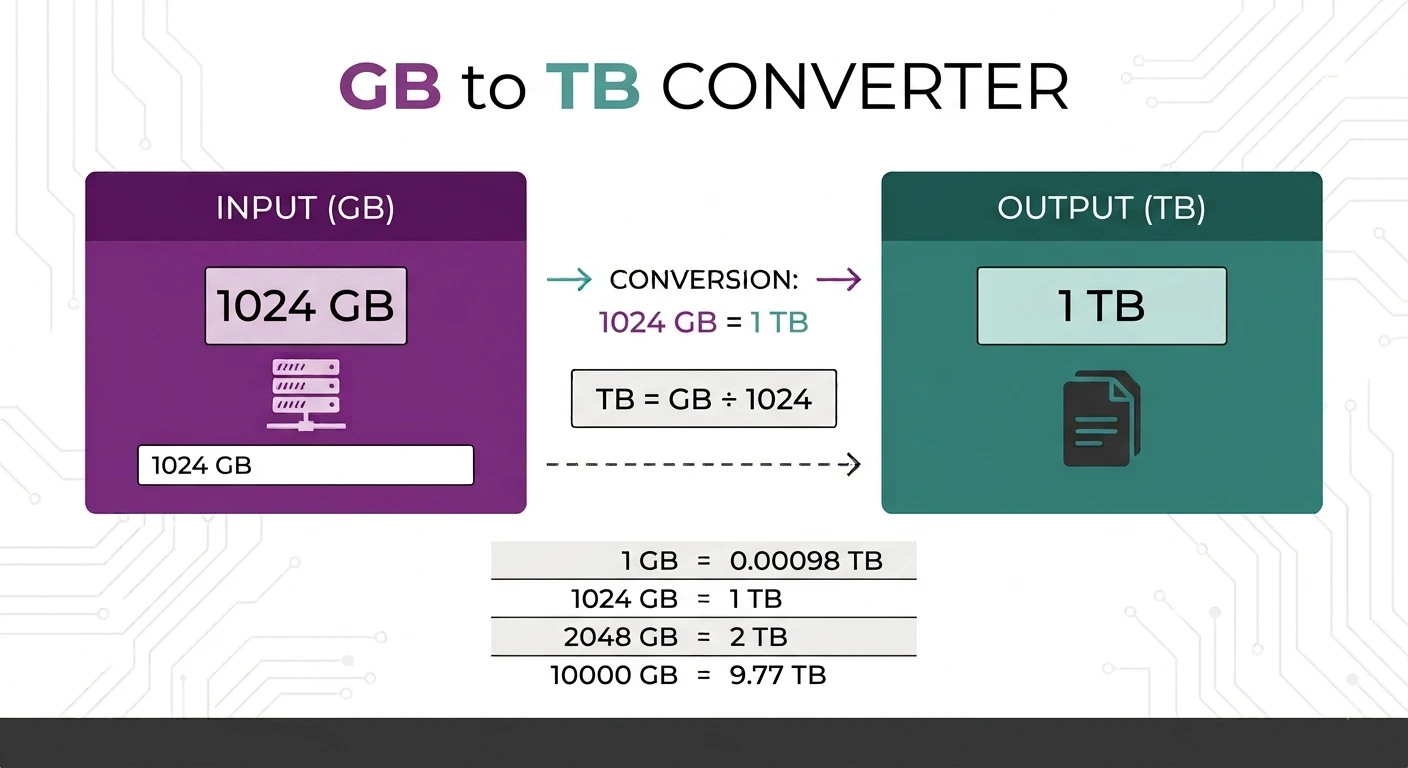
GB to TB conversion table
| Gigabytes | Terabytes (binary) |
|---|---|
| 128 GB | 0.125 TB |
| 256 GB | 0.25 TB |
| 500 GB | 0.49 TB |
| 512 GB | 0.5 TB |
| 1,000 GB | 0.98 TB |
| 1,024 GB | 1 TB |
| 2,048 GB | 2 TB |
| 4,096 GB | 4 TB |
| 8,192 GB | 8 TB |
Why two different answers exist
Computers count in binary, so an operating system treats one terabyte as 1,024 gigabytes. Drive makers use the decimal meaning of tera, which is 1,000, because it makes the number on the box larger. That single difference is the whole reason a new 2 TB drive reports about 1.81 TB of usable space. The strict binary unit has its own name, the tebibyte, defined by the IEC binary prefixes, but nobody uses it in everyday language.
When you actually need this
The usual reason is buying or comparing storage. You are weighing a 512 GB SSD against a 1 TB drive, checking whether a 2 TB backup disk will hold 1,400 GB of photos, or working out why a new drive shows less space than advertised. Converting first makes the comparison honest. If space is tight, our image compressor and PDF compressor both shrink files right in the browser.
Why use this converter
Free and unlimited
No account, no daily cap, no watermark on anything.
Answer as you type
The result updates live, so there is no convert button to wait on.
Nothing is uploaded
The maths runs in your browser. No value is sent anywhere.
Works everywhere
Any modern browser on desktop, tablet or phone.
Convert other data units
Working with smaller files? Use KB to MB, MB to GB or GB to MB. For length, weight, temperature and speed in one place, the universal unit converter handles them all.
Frequently asked questions
How many GB are in a TB?
How many gigs are in a terabyte?
Why does my 1 TB drive show 931 GB?
Is TB bigger than GB?
Is 500 GB half a terabyte?
Is this GB to TB converter free?
Related tools
How to Reduce Image Size to Under 100 KB
A practical walkthrough for getting any photo under a strict size limit.
Read guideNeed another unit?
Length, weight, temperature, data and speed, all free and all instant.
Open the unit converter