
Extract PDF Pages
Extract pages from a PDF free, with no sign-up and no watermark. Upload your PDF, name the pages you want to keep, and download them as a new PDF. Everything runs in your browser, so your file never leaves your device and is never uploaded to a server.
Drop your PDF files here
or click to browse, one PDF, up to 100 MB
Choose FilesQuick answer
To extract pages from a PDF, upload it to the tool above, type the pages you want to keep (for example, 1-3 or 2,5,7), and click "Extract Pages." A new PDF with only those pages is created instantly in your browser. It's free, needs no sign-up, and your file is never uploaded.
How to extract pages from a PDF
- Upload your PDF drag & drop, or click to browse (up to 100 MB).
- Type the pages you want to keep, such as 1-3 or 2,5,7.
- Click “Extract Pages.”
- Download a new PDF containing only those pages.
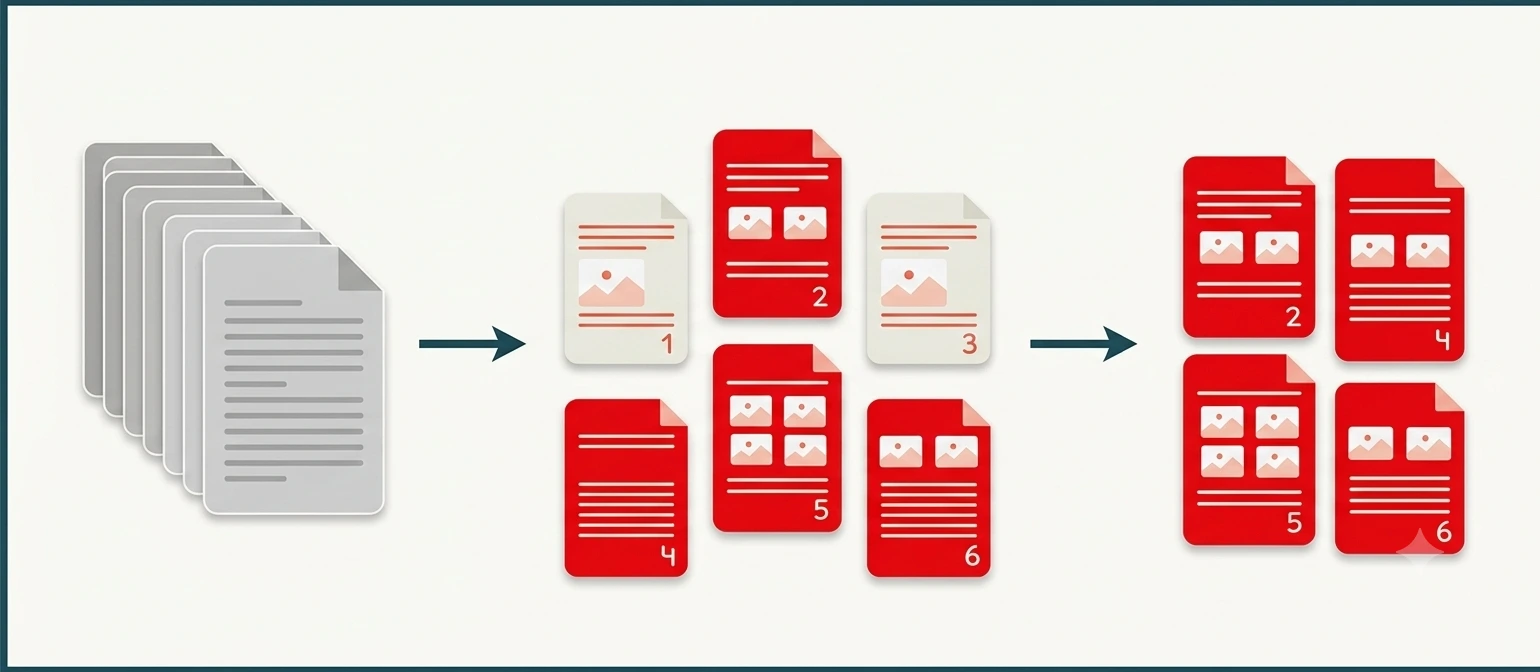
Pull out only the pages you need
When you only need part of a document a single chapter, a few forms, or one signed page from a long contract extracting is faster than deleting everything else. Name the pages you want and the tool builds a new PDF with just those, in the same order. Your original stays untouched, so you can extract different sets of pages as many times as you like.
Extract PDF pages on Windows, Mac, iPhone and Android
The tool runs in your browser, so it works the same on Windows, macOS, Android and iPhone with nothing to install. Open the page on any device to grab just the pages you need before sharing.
Why choose our Extract PDF Pages tool
- Free & unlimited no account, no watermark, no daily limits.
- Keep exactly the pages you name single pages or ranges.
- Big files welcome up to 100 MB per file, free.
- Private by design extraction happens in your browser; your file is never uploaded.
- Works everywhere any modern browser on desktop or mobile, nothing to install.
Frequently asked questions (FAQ's)
Is this Extract PDF Pages tool free?
Yes completely free, with no sign-up, no watermark and no usage limits.
How do I choose which pages to keep?
Type the page numbers, such as 1-3 for a range or 2,5,7 for specific pages.
What's the difference between extract and delete?
Extract keeps only the pages you name; delete removes the pages you name and keeps the rest.
Is it safe to use my PDF here?
Yes. Everything runs in your browser and your file is never uploaded to any server.
Do I need to install any software?
No. It works in any browser on Windows, Mac, iPhone and Android.