
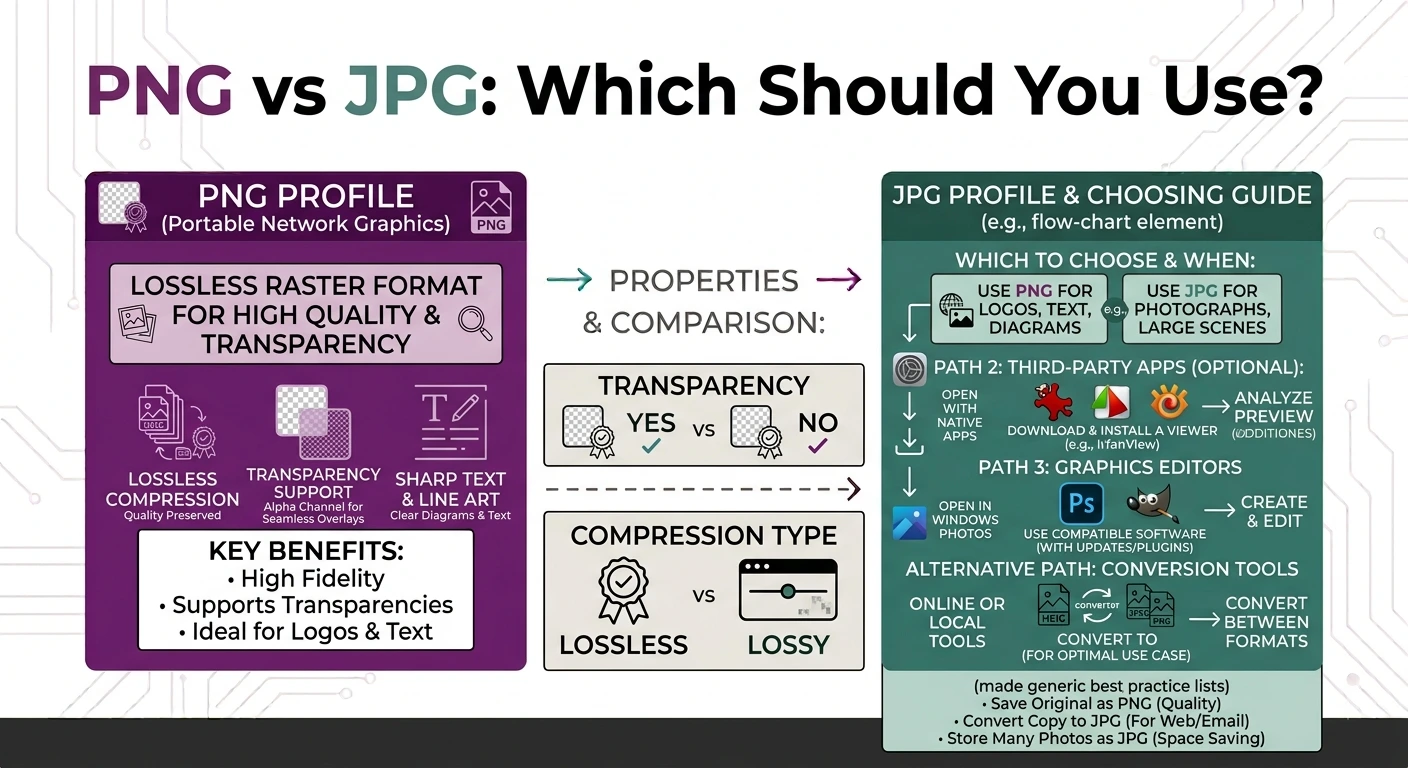
The short answer to PNG vs JPG is simple. Use PNG for logos, graphics, screenshots, and anything with text or a see-through background. Use JPG for photos and any time you want the smallest file size. PNG keeps perfect quality but makes bigger files. JPG makes small files but loses a little detail.
That covers most cases, but there is more to it. In this guide you will learn what each format really does, how they differ, when to pick one over the other, and how to switch between them for free. By the end, the PNG vs JPG choice will feel easy every single time.
What Is a PNG File?
PNG stands for Portable Network Graphics. It is a lossless format, which means it keeps every pixel exactly as it was. Nothing is thrown away to save space. Because of this, a PNG stays sharp and clean no matter what is in it.
PNG has one more trick that JPG does not. It supports transparency. That means part of the image can be see-through, so a logo can sit on any background with no white box around it.
PNG is the better choice for:
- Logos and brand images
- Screenshots, especially of text
- Graphics with sharp lines or flat colors
- Any image that needs a transparent background
The trade-off is size. Since PNG keeps all the data, the files get large, especially for detailed photos.
What Is a JPG File?
JPG, also written as JPEG, is a lossy format. It removes some image data that the human eye barely notices, and that makes the file much smaller. This is why almost every camera and phone saves photos as JPG.
JPG is the better choice for:
- Photographs
- Images you send by email or upload to websites
- Any time small file size matters more than perfect detail
JPG has two weak points. It does not support transparency, so it always fills the background with a solid color, usually white. And every time you save a JPG again, it loses a little more quality. This slow loss is called generation loss.
The Mozilla developer docs give a clear technical overview of both formats in their image file type guide.
PNG vs JPG: The Key Differences
This is the heart of the PNG vs JPG question. The table below shows the main points side by side.
| Feature | PNG | JPG |
|---|---|---|
| Compression | Lossless (keeps everything) | Lossy (drops some detail) |
| File size | Larger | Smaller |
| Transparency | Yes | No |
| Best for | Logos, text, graphics | Photos |
| Quality on re-saving | Stays perfect | Drops slowly |
| Colors | Great for flat colors | Great for gradients |
Read the table one row at a time and the PNG vs JPG decision becomes clear. If you need transparency or crisp text, PNG wins. If you need a small photo file, JPG wins.
When to Use PNG
Choose PNG in these cases:
- You need a transparent background. Logos and icons look bad with a white box behind them. PNG fixes that.
- The image has text. JPG makes text look blurry and adds ugly specks around letters. PNG keeps text sharp.
- You are taking a screenshot. Screenshots have sharp edges and flat colors, which is exactly what PNG handles best.
- You will edit the image many times. Since PNG does not lose quality on each save, it is safe for repeated editing.
When to Use JPG
Choose JPG in these cases:
- The image is a photo. Photos have smooth gradients and millions of colors. JPG shrinks them well with almost no visible loss.
- You need a small file. For email, uploads, and web pages, a smaller JPG loads faster and saves data.
- Transparency does not matter. If the image has a normal background, you do not lose anything by using JPG.
A simple rule helps here. Ask yourself one question. Is it a photo? If yes, use JPG. If it has text, a logo, or a transparent background, use PNG.
Does Converting Between PNG and JPG Lose Quality?
This part surprises people, so it is worth being clear.
Going from PNG to JPG makes the file smaller, but it applies lossy compression, so a small amount of detail is dropped. For photos this is fine and you will not see the difference. For text and logos it can look worse.
Going from JPG to PNG does not repair lost detail. The quality that JPG already removed is gone for good. But the PNG will not lose anything further, and you gain the option of a transparent background.
So the PNG vs JPG conversion is a one-way street for quality. Start from the best original you have.
How to Convert Between PNG and JPG for Free
Switching formats takes seconds with the right tool, and you do not need to install anything.
- To shrink a graphic into a smaller photo file, use our PNG to JPG converter.
- To add transparency or keep sharp edges, use our JPG to PNG converter.
- If your file is simply too big, our image compressor reduces the size while keeping good quality.
Each tool works the same easy way. Add your image, or drag and drop up to 10 files, let it convert, then download the result. Everything runs inside your browser, so your files never leave your device. There is no sign-up, no watermark, and no cost.
Frequently Asked Questions
Which is better, PNG or JPG? Neither is better overall. In PNG vs JPG, PNG is better for logos, text, and transparent images, while JPG is better for photos and small file sizes.
Is PNG higher quality than JPG? Yes, PNG keeps perfect quality because it is lossless. JPG drops a little detail to save space. For photos the difference is usually invisible.
Why are my PNG files so large? PNG keeps every pixel with no loss, so detailed images get big. If size is a problem, convert the file to JPG or compress it.
Should I use PNG or JPG for a website? Use JPG for photos to keep pages fast, and PNG for logos, icons, and anything that needs a transparent background.
Does converting PNG to JPG reduce quality? It applies lossy compression, so a small amount of detail is lost. For photos you will not notice, but for text and logos PNG stays sharper.
Can I make a JPG transparent by saving it as PNG? Saving a JPG as PNG lets the file support transparency, but it will not remove a background on its own. You still need to erase the background in an editor.
Final Thoughts
The PNG vs JPG debate really comes down to one idea. PNG protects quality and supports transparency, which makes it great for logos, text, and graphics. JPG saves space, which makes it great for photos and anything you upload or email. Once you know what the image is, the choice is easy.
When you need to switch formats, our free tools make it quick. Try the PNG to JPG or JPG to PNG converter, or use the image compressor to shrink a file. Every tool runs fully in your browser, so your images stay private and never leave your device.